

Dental imaging and planning
Kometa Dental
Kometa Dental is a dedicated workstation for CBCT studies. View and post-process volumetric data, run 3D segmentation of anatomical structures, build curved multi-planar reformats along the jaw arch, and plan implants — all in a single interface.
The solution integrates with the Kometa ecosystem and runs directly in the browser — no heavy client install required.
Instructions for use are available for download in the Documents section.
Core tools
Three workhorse tools for the day-to-day workflow of implantologists, endodontists, and orthodontists.
Implant mode
Interactive implant placement with a manufacturer library, depth and angulation controls. Highlighted mandibular nerve and maxillary sinuses warn when the placement approaches a danger zone.
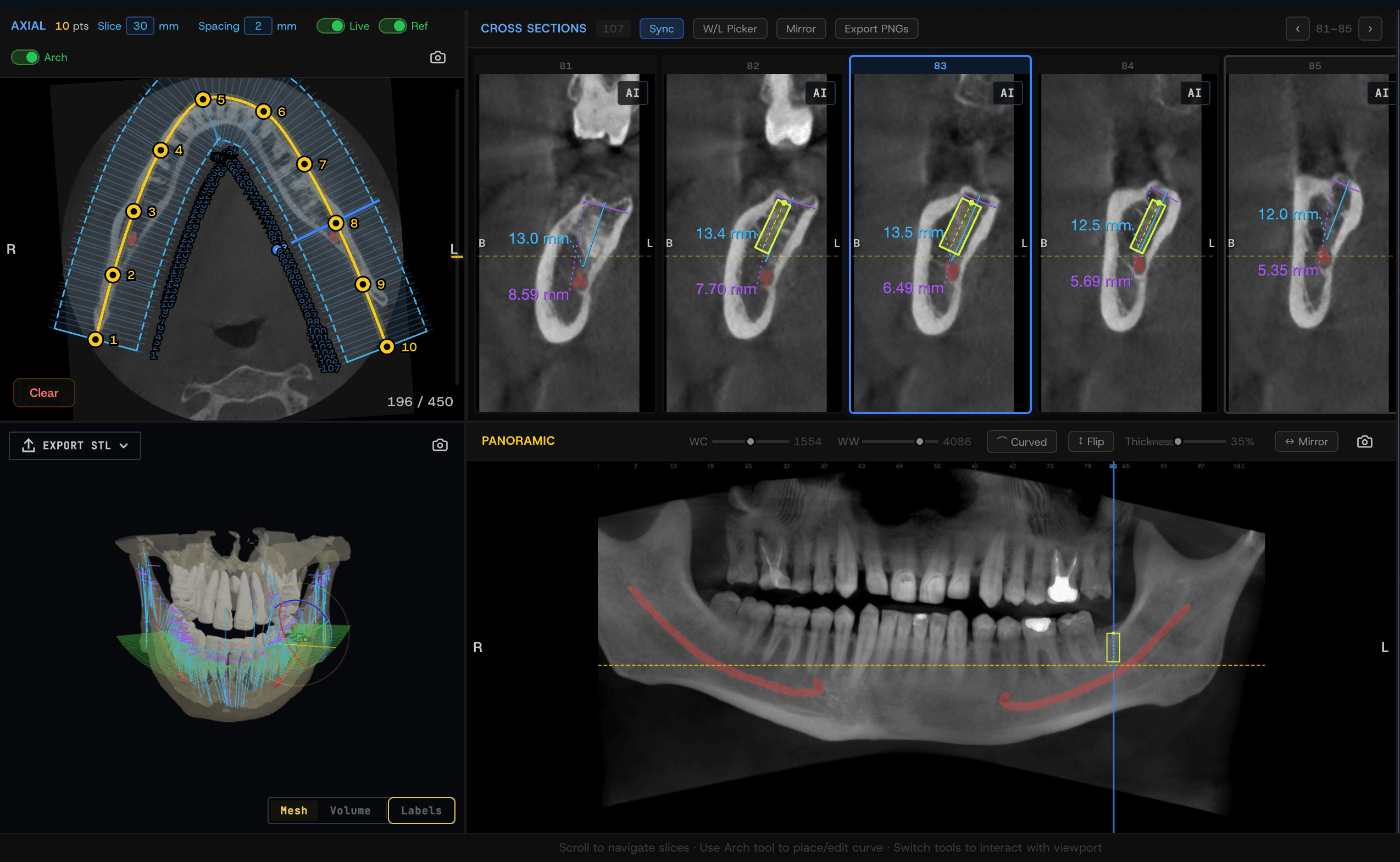
Curved MPR
Multi-planar reformats along an arbitrary curve through the jaw arch and the nerve path. Get panoramic slices, cross-sections, and root-canal reconstructions from a single CBCT series.
3D segmentation
Volumetric extraction of teeth, bone structures, nerve canals, and sinuses. Resulting models can be compared, measured, and exported for downstream work or patient discussion.
Automated nerve canal detection
Automated tracing of the mandibular nerve canal through the CBCT volume. The canal stays highlighted across all projections and reformats, making it easier to maintain implant-to-nerve distance and work in the endodontic zone.
Workstation capabilities
Supporting tools that keep day-to-day work with CBCT studies fast and predictable.
Browser-based CBCT viewing
Open studies of any size directly in the browser with MPR, MIP, and 3D reconstructions — no client install.
Measurements and annotations
Distances, angles, tissue densities, root and bone-structure dimensions saved with the study.
Treatment-plan composer
Combine implants, abutments, and crowns with the orthopantomogram and the patient's photo protocol.
Safety zones
Highlighted nerve canals, maxillary sinuses, and contact points warn of clinical risks during planning.
Collaboration
Share studies and plans with colleagues and patients via a secure link — no heavy archive exports.
PACS integration
Connects to Kometa PACS and third-party HIS/RIS — studies and plans are stored centrally.
Who it's for
Dental clinics, radiology offices, and large networks working with CBCT studies and adopting digital implant planning.
Kometa Dental deploys as a standalone product or as part of the unified Kometa ecosystem, extending existing PACS and workstations with specialized dental tooling.
Want to see Kometa Dental in action?
Request a demo — we'll show the workstation on your own studies and discuss deployment for your clinic.
Product visuals
Screenshots of Kometa Dental workflows: 3D implant planner, multi-planar reformat, and study reorientation.
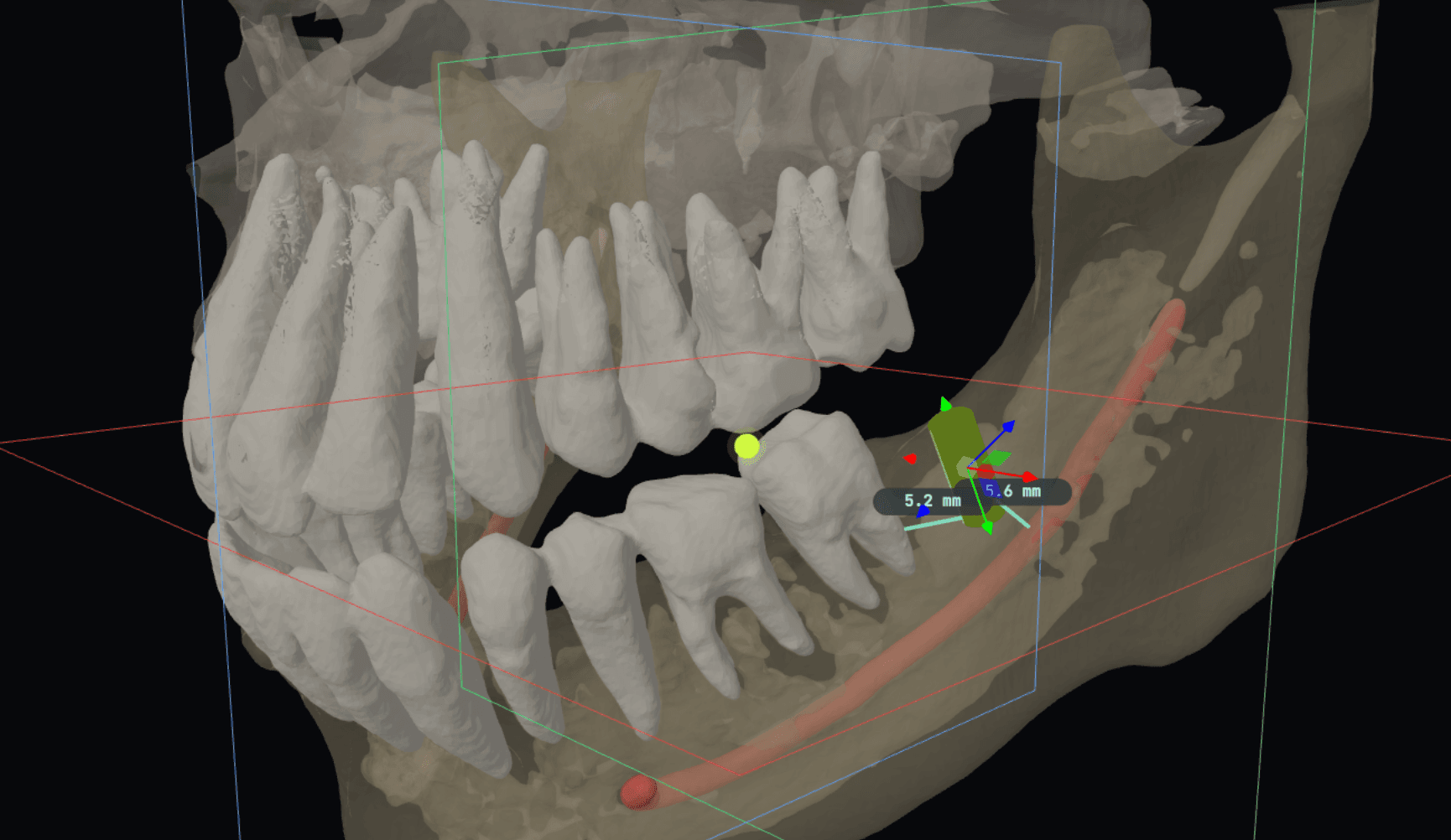 3D implant planner
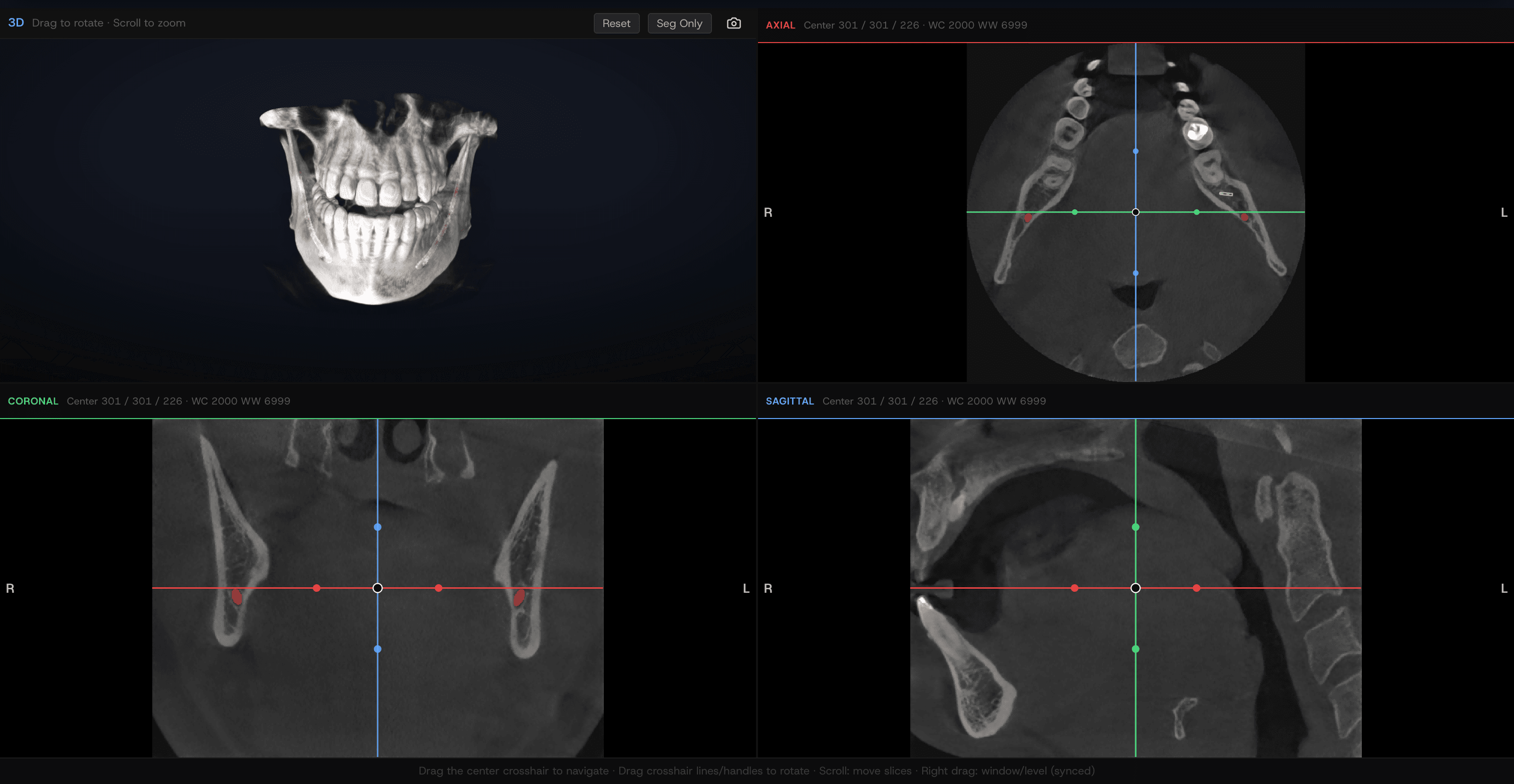 Multi-planar reconstruction (MPR)
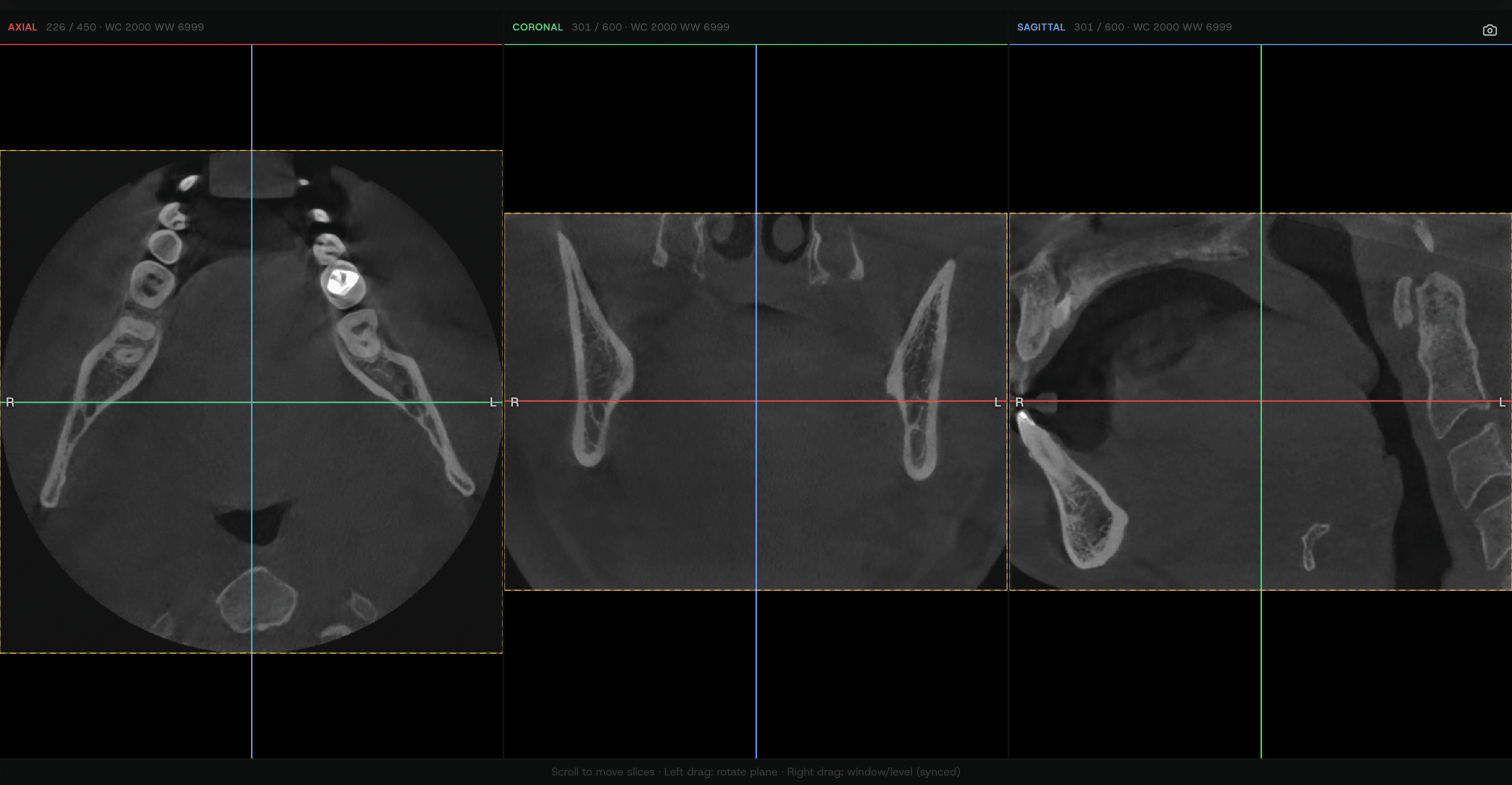 Study reorientation
Professional dental tools in a single window
Kometa Dental covers the full CBCT workflow — from initial viewing and segmentation to curved reformats and defending the final implant plan with the patient.
Software product intended for use by medical professionals.
Video reviews
Watch overviews of Kometa products and modules
3D mode, segmentation — KOMETA 4.1.21 Viewer
3D mode, segmentation — KOMETA 4.1.21 Viewer
WEB Viewer 4.1.21 interface overview
2D mode — KOMETA 4.1.21 Viewer
MPR mode, comparison package — KOMETA 4.1.21 Viewer
VESSELS package — KOMETA 4.1.21 Viewer
Endo package — KOMETA 4.1.21 Viewer
Viewer Kometa Pathology
Cardiac package — KOMETA 4.1.21 Viewer
Calcium package — KOMETA 4.1.21 Viewer
PET-CT package — KOMETA 4.1.21 Viewer
Lungs package — KOMETA 4.1.21 Viewer
Brain perfusion package — KOMETA 4.1.21 Viewer
Dental package — KOMETA 4.1.21 Viewer
Radiation Therapy package — KOMETA 4.1.21 Viewer
Mammography — KOMETA 4.1.21 Viewer
Web Patient Browser overview